Updated: July 2, 2024
A friend got his Facebook account hacked. Although he was able to recover it after a few days, he’s worried that it might happen again.
When I asked him how his account got compromised in the first place, he suspected that he might have been a victim of a fake website—in other words, he fell into a phishing scam.
What is Phishing?
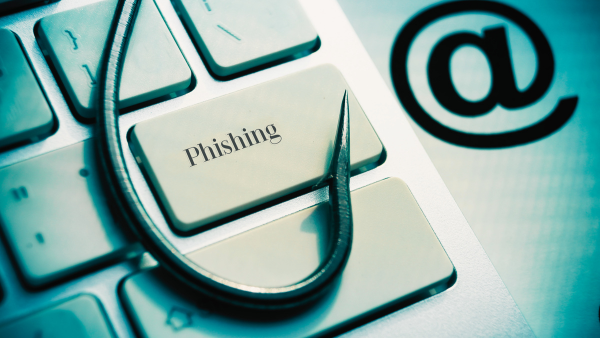
Phishing refers to the deceptive and fraudulent act of obtaining personal information from an individual with the intent to steal or extort money from the victim.
Phishing normally happens online through email, instant messaging, and fake websites. It is used to obtain bank account information, credit card numbers, passwords, and other log-in credentials.
Types of Phishing
There are many kinds of phishing attacks. Below are the most common ways that you might encounter as a consumer.
Website Forgery
Victims normally receive an email claiming they need you to log in to their bank or social media accounts. For convenience, the email gives a link going to the log-in page.
However, that link goes to a fake website that looks exactly like the real one. When the victim logs in, their username and password are now compromised.
File Attachments
Victims can also receive file attachments, either via email or instant message. When clicked, malware (malicious software) could install itself on the computer or mobile phone.
When that happens, the malware can now search the device for personal information and send it to the scammer while the device is connected to the Internet.
Most of the time, these emails or instant messages come from a stranger. However, it is now more common to receive them from a known contact or friend, which has most likely been victimized as well.
Social Engineering
Do you like taking online quizzes? How about going to websites requiring you to “log in with your Facebook account” before you can access a page?
These websites can maliciously gather information about you, which can be used to engineer your password and other personal credentials.
Phone Phishing
Phishing can also happen offline. You can receive calls from someone pretending to be your bank, who will then ask for your credit card number or other financial information under the guise that it’s for “security checking.”
You can also receive news that you’ve won in a raffle and must give your personal information to claim the prize. Little do you know that those data will later be used to hack into your bank or social media accounts.
How to Prevent Phishing
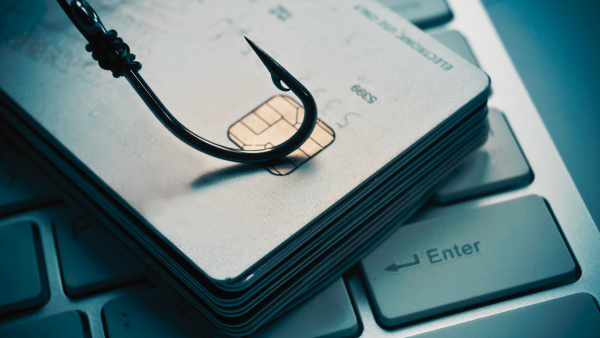
Here are six tips to help you avoid becoming a victim of phishing.
1. Never give your password or ATM PIN to anyone.
Phishing emails often ask you to reply quickly with your bank details or credit card number. They may also contain a link to a “phishing page” or “pop-up window” where you have to fill in your account number, ATM PIN, or online banking password.
Your bank will never ask you for your password and PIN, so ignore anyone asking you for them. They’re guaranteed to be scams.
2. Never share sensitive information anywhere.
Your birthday, your mother’s maiden name, the name of your first pet, etc. — these are often used by websites as security questions for your account. Thus, it’s best never to share them online.
Please don’t use them as your password, either. I’ve already pranked a couple of friends by logging into their Facebook accounts using their wedding dates.
3. Never use the same password for all your accounts.
Make sure to have different passwords for each online account that you have. And be sure to change them regularly, at least once a year.
If you’re not good at remembering passwords, you can choose a “main key phrase” and add a prefix and a suffix to make it unique.
For example, let’s say that your motto in life is “Time is gold.” This is now your main keyword phrase. Prefix your age and add the website as your suffix. Use a dash as a space or separator. And that’s your password!
So, assuming that you’re 30 years old, then your Facebook password will be “30-time-is-gold-facebook”; for your Gmail account, it will be “30-time-is-gold-gmail”; for your BPI online account, your password will be “30-time-is-gold-bpi”; etc.
Next year, when you turn 31, update all your passwords again. You can spell out your age instead of using numbers. Or maybe use the age of your child.
4. Type the website directly.
Emails can be spoofed. Links can be masked. There are many ways to fool you online and make you believe you’re on the correct website.
My personal strategy is to never click those links and always type the website directly into the browser if I want to go to it.
Be sure to check your spelling before hitting enter. You can also bookmark them for faster access or use their official apps to log in to your account on your mobile phone.
5. Use 2-factor authentication when available.
Some websites, such as Gmail and Facebook, offer the security option of sending you a text message or email to log in to your account. This way, even if your password is stolen, it can’t be used because they don’t have your phone.
6. Avoid using public wi-fi when accessing sensitive information.
Many places offer free WiFi. Never log in to your online bank or primary email addresses when connected to these untrusted public connections.
When you need to go online, use your own mobile data. It would cost you, but it’s better to be safe than sorry. Connect to free public Wi-Fi to browse websites, play games, or watch videos, but never to do personal and sensitive tasks.
Final Tips
My friend remembers logging into his Facebook account on the public computer at the gym. He suspects that’s how he got hacked. And now he knows better.
If you or someone you know becomes a victim of phishing, be sure to call the bank immediately or contact customer support for the online account to ask for assistance.
Don’t panic. Change the passwords and PINs in other accounts to secure them. Lastly, inform friends on social media about it so that they can avoid being victimized by anyone who might pretend to be you.
What to do next: Click here to start your financial journey with IMG Wealth Academy



Excellent advise and especially helpful to seniors like me that are not so well versed in all the possible entrapments of life online. One thing I will share for those who trade stocks, futures or options online. My brokerage firm supplied me with a small token that can be added to a key-chain or other convenient place for easy access. The product I have in my hand is made by Symantec but there may well be others.
After logging in with your account name and then your password, you will be prompted to press the button on the token witch will generate and display a six digit numerical code. You have 30 seconds to type in the 6-digit code and press enter. Three failed attempts and your account is locked and you then must call in to unlock it.
I do know that a few attempts have been made to hack into my accounts over the past few years but NEVER has there been success for the hacker. The very same person who was caught and is being prosecuted for hacking my E-mail accounts while visiting Australia was one of the persons who attempted to open my brokerage account. The attempt failed and the account was locked. We know who, where and the time because of the excellent security my brokerage firm has in place. The digital record clearly showed everything.
My suggestion, if you trade call your brokerage firm and ask if these security tokens are available for you. Yes, it is an extra step that requires a bit of your time but I think is well worth it. I could opt to turn off the devise while working and trading from home but I have chosen not to do that.